Messages & Arrows
Change Arrow Style
Modify arrows to indicate lost messages, distinct directions, etc.

Advanced Arrow Syntax
Complex arrow styles including colored, bidirectional, half-arrows, and external signals.
Colored & Styled Arrows
Basic Colored Arrows

Async Style

Reverse Arrows

Bidirectional Arrows

Half Arrows
Basic Half Arrows

Triangle Half Arrows

Reverse Half Arrows

External Signals
Signals starting from or ending at the diagram boundary.
Incoming Messages

Outgoing Messages

Return Keyword
The return keyword generates a return message with an optional text label. It automatically identifies the point that caused the most recent lifeline activation and draws a dashed arrow back to the caller.

Slanted or Odd Arrows
You can use the (nn) option (before or after arrow) to make the arrows slanted, where nn is the number of shift pixels.

Colored Slanted Arrows
You can combine slant styling with colors.
Parallel messages
You can use the & command to display parallel messages. This is particularly useful for modelling non-blocking operations or concurrent events.

Message to Self
A participant can send a message to itself.

Self-Message Variations
Self-messages support various styles including colors, line types (dashed, dotted), and different arrowheads.
Basic Styles

Async Styles

Bidirectional Styles

Half Arrow Styles

Incoming and Outgoing (Detailed)

Text Alignment & Placement
Align text using skinparam sequenceMessageAlign.

Response Message Below Arrow

Message Sequence Numbering
The keyword autonumber is used to automatically add an incrementing number to messages.
Basic Usage

Start Number and Increment
You can specify a start number with autonumber <start>, and also an increment with autonumber <start> <increment>.

Custom Formatting
You can specify a format for your number by using double-quotes. The formatting is done with 0 meaning digit and # meaning digit (zero if absent). You can use some HTML tags in the format.

Stop and Resume
You can use autonumber stop and autonumber resume <increment> <format> to respectively pause and resume automatic numbering.

Multi-Digit Numbering
Your start number can be a 2 or 3 digit sequence using a field delimiter such as ., ;, ,, : or a mix of these. For example: 1.1.1 or 1.1:1. Automatically the last digit will increment. To increment the first digit, use: autonumber inc A. To increment the second digit, use: autonumber inc B.

Delay
You can add a delay in the timeline using ... syntax. This creates a vertical gap with optional centered text.

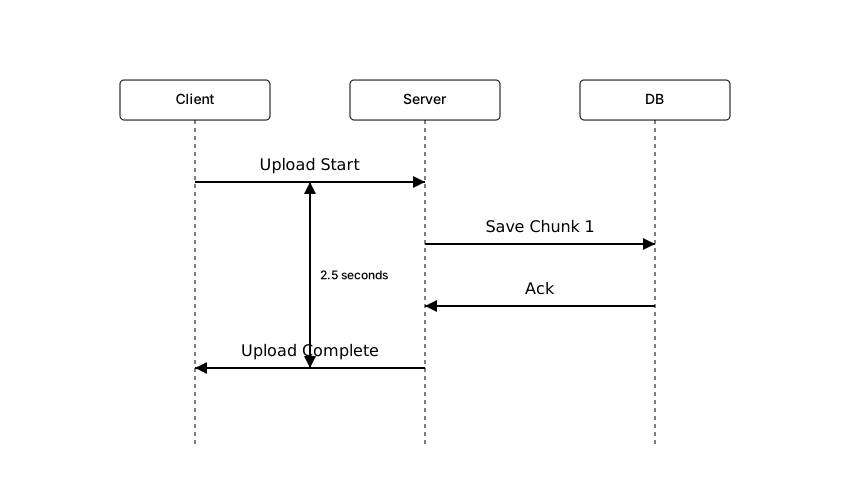
Anchors and Duration